
A legal match platform workflow is the structured process that connects clients to qualified attorneys based on case data, jurisdiction, and availability. Most people assume finding a lawyer online works like a Google search. It does not. Platforms like Legalleads run a multi-step intake and filtering system that collects your case details, screens for conflicts, verifies attorney licensing, and delivers a referral within 24 hours. Understanding each step helps you prepare better, avoid common delays, and get matched with the right attorney faster.
What does the legal match platform workflow actually involve?
The attorney-client matching process is formally called a legal referral workflow. It is the end-to-end system that takes a client's raw legal problem and routes it to an attorney who is qualified, available, and conflict-free. The term "legal match platform workflow" describes the same process from the client's perspective on a digital platform.
The workflow has four distinct phases: intake, filtering, attorney notification, and consultation booking. Each phase depends on the one before it. A weak intake produces poor matches. A thorough intake produces fast, accurate referrals. Knowing this sequence changes how you approach the process from the start.

Legalleads compresses this workflow significantly. Clients describe their situation in plain English and receive a professional case brief in under two minutes. That brief then feeds directly into the matching engine, cutting out the back-and-forth that slows down traditional referral services.
What information is gathered during client intake?
The intake phase is the foundation of the entire matching process. Standard digital intake takes 5–15 minutes and collects case type, jurisdiction, desired outcome, budget, and urgency. Every field matters because attorneys use this data to decide whether to accept a referral.
A typical intake form captures:
- Issue type: Personal injury, family law, employment, criminal defense, or another practice area
- Location: State and county, which determines which licensed attorneys can legally represent you
- Desired outcome: What you want to achieve, such as compensation, custody, or contract resolution
- Budget: Whether you need a contingency arrangement, flat fee, or hourly billing
- Urgency: Statute of limitations deadlines or immediate court dates that affect response priority
- Supporting documents: Police reports, contracts, medical records, or correspondence
Attorneys review this information before their first consultation. The first consultation focuses on verifying client-provided facts rather than building legal strategy. That means your intake accuracy directly determines how productive your first attorney meeting will be.
Pro Tip: Organize your documents in chronological order before starting intake. Clients who submit organized, dated records shorten the attorney's discovery time and often receive faster responses.
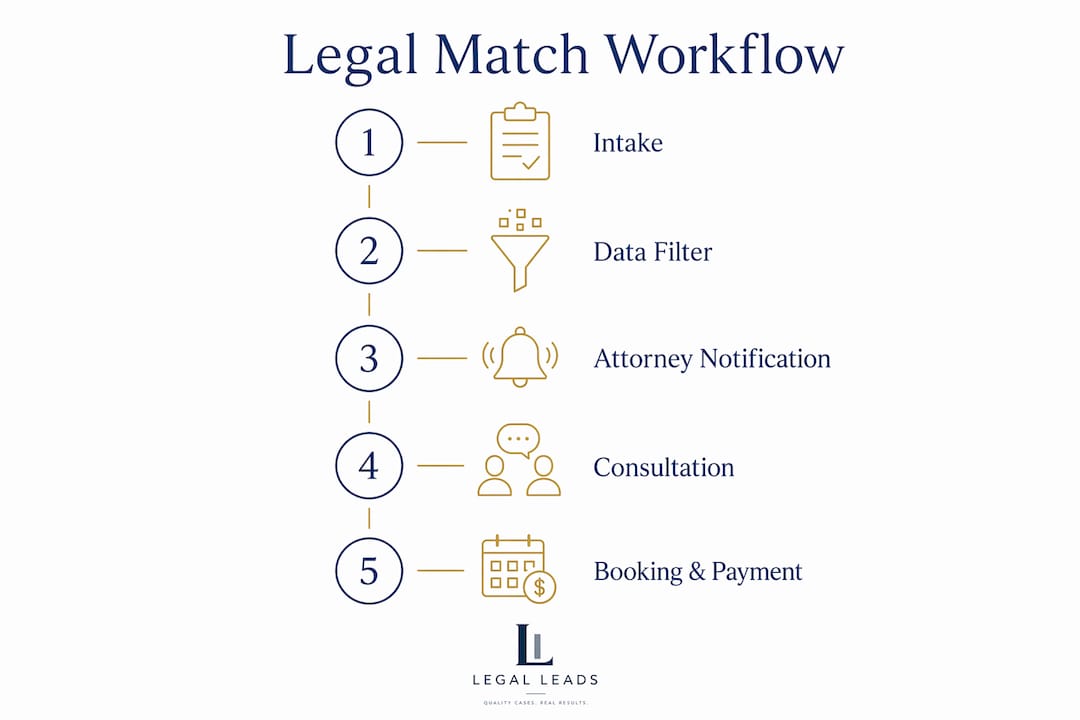
Use the Legalleads quick intake form to complete this step in under two minutes without phone calls or complicated paperwork.
How do platforms filter and verify intake data before referral?
Most clients never see this phase, but it is the most critical part of the lawyer-client matching workflow. After you submit your intake, the platform runs a triage process that screens your case before any attorney receives it.
- Eligibility check: The platform confirms your legal issue falls within a practice area the network covers.
- Jurisdiction verification: The system checks that licensed attorneys in your state and county are available for your case type.
- Conflict-of-interest screening: The platform cross-references your case details against existing attorney-client relationships to prevent ethical violations.
- Practice area alignment: Your case is matched only to attorneys whose verified credentials cover your specific legal issue.
A strong referral workflow incorporates conflict checks, attorney availability, licensing compliance, and prompt follow-up. Efficient routing reduces poor matches and speeds client access to legal help.
Failing a conflict check is one of the most common reasons clients receive no matches. It is not a rejection of your case. It means the platform is protecting you from being represented by an attorney who has a prior relationship with an opposing party. The platform then extends the search to other available attorneys automatically.
AI-assisted screening handles the initial pass on most platforms. Human reviewers step in for complex cases where the legal issue spans multiple practice areas or jurisdictions. This combination keeps the process fast without sacrificing accuracy.
How do attorneys receive and respond to matched cases?
Once your case clears the triage phase, the platform sends referral notifications to matched attorneys. Attorneys typically have 24–48 hours to respond with acceptance, a decline, or a request for additional information. If no attorney responds within that window, the platform routes the referral to the next available match.
When an attorney receives a referral, they evaluate three things:
- Current workload: Whether they have capacity to take on a new client without compromising existing cases
- Conflict re-verification: A second internal check against their own client database, independent of the platform's initial screen
- Case fit: Whether the facts, jurisdiction, and desired outcome align with their current practice focus
Pro Tip: If you receive a request for more information from an attorney, respond within a few hours. Attorneys evaluate responsiveness as a signal of how engaged and organized a client will be throughout the case.
The attorney's response triggers the next phase. An acceptance moves you directly to consultation booking. A decline or non-response sends your case back into the matching queue. Platforms like Legalleads are built to handle this automatically, so you do not need to follow up manually.
What happens after a match: booking, payment, and communication
The post-match phase is where the legal platform management system becomes most visible to clients. Once an attorney accepts your case, the platform activates a set of integrated tools that handle scheduling, payment, and ongoing communication.
| Feature | How it works | Client benefit |
|---|---|---|
| Calendar booking | Attorney availability syncs with the platform's scheduling tool | You book a confirmed appointment without phone tag |
| Payment processing | Integrated solutions like Stripe collect consultation fees and retainers securely | Transparent billing before the meeting begins |
| Document sharing | Encrypted upload portals let you send case files directly to your attorney | No email attachments or fax required |
| Messaging | In-platform messaging keeps all communication in one place | Creates a clear record of every exchange |
| Follow-up scheduling | Platforms prompt both parties to confirm next steps after the consultation | Reduces dropped cases and miscommunication |
Payment processing deserves specific attention. Integrated billing systems collect retainers and consultation fees before confirming bookings. This step protects both parties. Attorneys know the client is committed. Clients receive a clear record of what they paid and when.
Document management, calendar booking, attorney verification, and payment workflows operating inside a single platform improve both efficiency and client satisfaction. You are not juggling multiple apps or email threads. Everything lives in one place.
Common challenges and how to avoid them
The most frequent reason clients get poor results on legal matching platforms is incomplete intake information. Organizing and providing comprehensive case details at intake significantly improves both the likelihood and speed of a successful match. Missing information delays or prevents matches entirely.
Common mistakes and how to fix them:
- Vague case descriptions: Write specific facts, not summaries. "I was rear-ended on March 3, 2025, and received a diagnosis of whiplash" outperforms "I was in a car accident."
- Missing jurisdiction details: Always include your state and county. Attorneys are licensed by state, and the platform cannot match you without this.
- No documents uploaded: Even partial documentation, such as a single medical bill or a signed contract, gives attorneys enough to evaluate your case.
- Incorrect practice area selection: If you are unsure, describe the situation in plain language. Platforms with AI intake tools will categorize it correctly.
- Slow follow-up: When an attorney requests more information, a delayed response signals low engagement and may cause them to decline.
Pro Tip: Before you start intake, write a two-paragraph summary of your situation. Include dates, parties involved, and what outcome you want. Paste this into the description field for a faster, more accurate match.
Legal matching platforms are routing tools, not legal advisors. They connect your factual scenario to attorney expertise. The quality of that connection depends almost entirely on the quality of information you provide.
Key Takeaways
The legal match platform workflow succeeds when clients provide accurate, complete intake data that passes conflict checks and reaches qualified, available attorneys within a structured referral timeline.
| Point | Details |
|---|---|
| Intake quality drives match quality | Complete, specific intake data produces faster and more accurate attorney referrals. |
| Triage is invisible but critical | Conflict checks and jurisdiction verification happen before any attorney sees your case. |
| Attorney response window is 24–48 hours | If no attorney accepts, the platform automatically routes your case to the next match. |
| Post-match tools handle logistics | Calendar booking, payment processing, and document sharing all operate within the platform. |
| Platforms route cases, not give advice | Legal matching services connect you to attorneys. Legal strategy begins at the consultation. |
Why preparation matters more than the platform you choose
After watching how these workflows operate, the single biggest variable is not the platform. It is the client. Two people with identical legal problems can get completely different results based on how thoroughly they complete intake.
Platforms are built to be efficient. The triage systems, conflict checks, and attorney notification tools work reliably when they have good data to work with. When intake is vague or incomplete, even the best matching engine cannot compensate. The system routes what it receives.
The other misunderstanding I see repeatedly is treating the platform as a legal advisor. Clients sometimes expect the platform to tell them whether they have a strong case. That is not what these tools do. They are connection facilitators. Legal judgment belongs to the attorney you meet in the consultation.
The most effective approach is to treat your intake like a professional briefing document. Write it as if you are explaining your situation to a colleague who knows nothing about your case. Include dates, parties, documents, and the specific outcome you want. Attorneys respond faster to clear, organized cases because they can evaluate fit immediately.
Patience during the 24–48 hour referral window is also worth practicing. The platform is running checks in the background. A short wait usually means the system is being thorough, not slow.
— Admin
How Legalleads connects you with the right attorney
Legalleads is built around the same referral workflow described in this article, with one key difference: the intake takes under two minutes. You describe your situation in plain English, and the platform generates a professional case brief automatically.
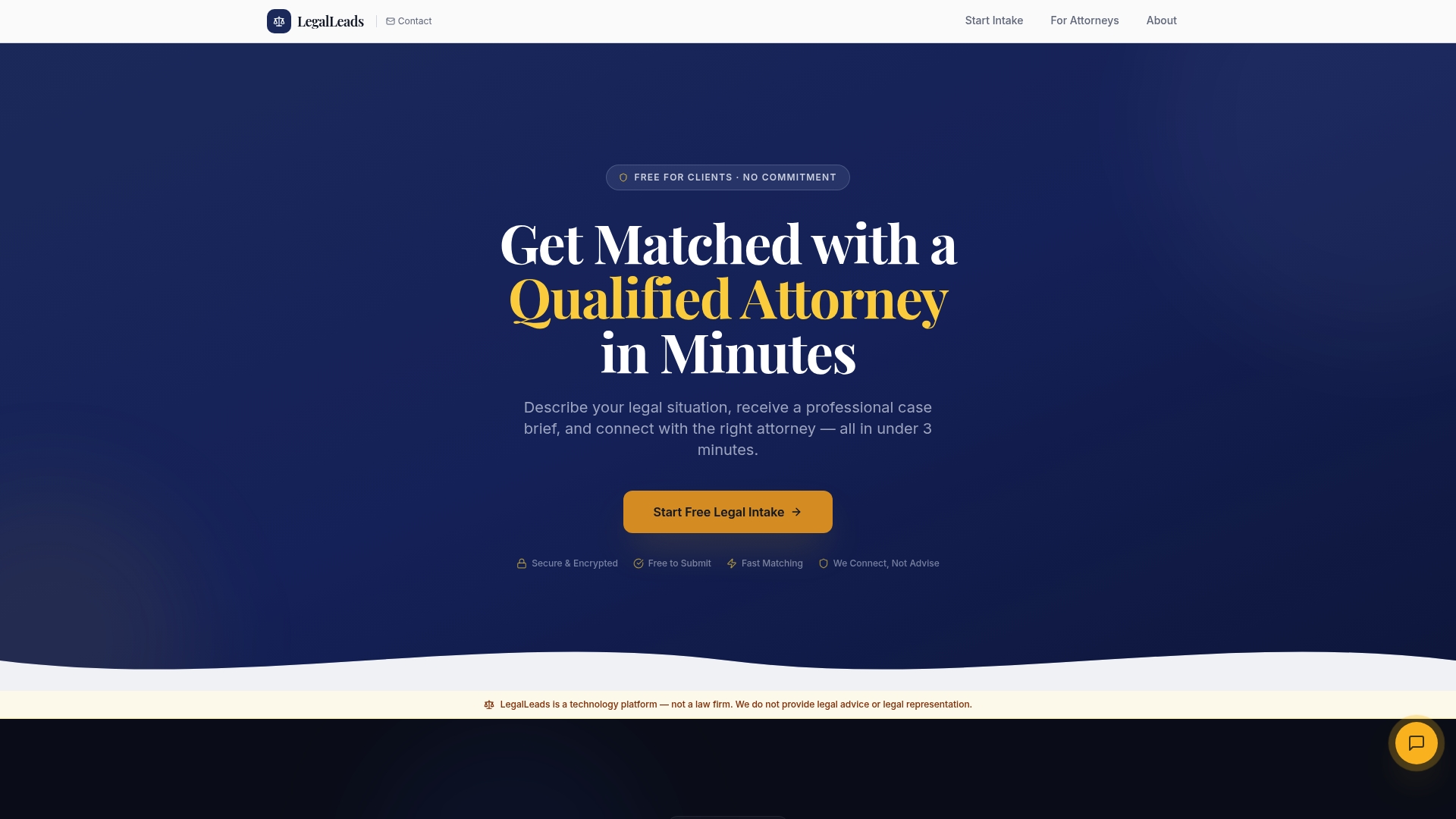
From there, Legalleads matches you with qualified attorneys based on practice area, jurisdiction, and availability. You can also browse attorney profiles directly to review credentials and specialties before a match is confirmed. Whether you need a family lawyer in Los Angeles or representation for a personal injury case, the platform covers a wide range of practice areas with no phone calls required. Find a lawyer through Legalleads and get connected within 24 hours.
FAQ
What is a legal match platform workflow?
A legal match platform workflow is the structured process that collects client case details, screens for conflicts and jurisdiction fit, and routes the case to a qualified attorney. The full process typically takes 24–48 hours from intake to attorney contact.
Why am I not getting any attorney matches?
The most common reasons are incomplete intake information, a failed conflict-of-interest check, or no licensed attorneys available in your jurisdiction for your case type. Adding more specific details and documents to your intake usually resolves the issue.
How long does attorney matching take?
Standard referral timelines run 24–48 hours from intake submission to attorney response. Platforms automatically extend the referral to additional attorneys if the first match does not respond.
Do legal matching platforms give legal advice?
No. Legal matching platforms are connection tools, not legal advisors. They route your factual case details to attorneys with matching expertise. Legal advice begins at your first attorney consultation.
What documents should I upload during intake?
Upload any documents directly related to your case: contracts, medical records, police reports, court notices, or correspondence. Even partial documentation helps attorneys evaluate your case and decide whether to accept the referral.